> For the complete documentation index, see [llms.txt](https://whitepaper.asmatch.app/llms.txt). Markdown versions of documentation pages are available by appending `.md` to page URLs; this page is available as [Markdown](https://whitepaper.asmatch.app/getting-started/enhance-your-profile.md).
# Enhance Your Profile
On your profile page, you'll find your comprehensive Astrology Chart, revealing insights into the six different signs within your chart (Sun sign, Moon sign, Rising sign, Venus, Mercury, Saturn).
Optimize your AsMatch experience by curating a compelling profile that represents your true self.
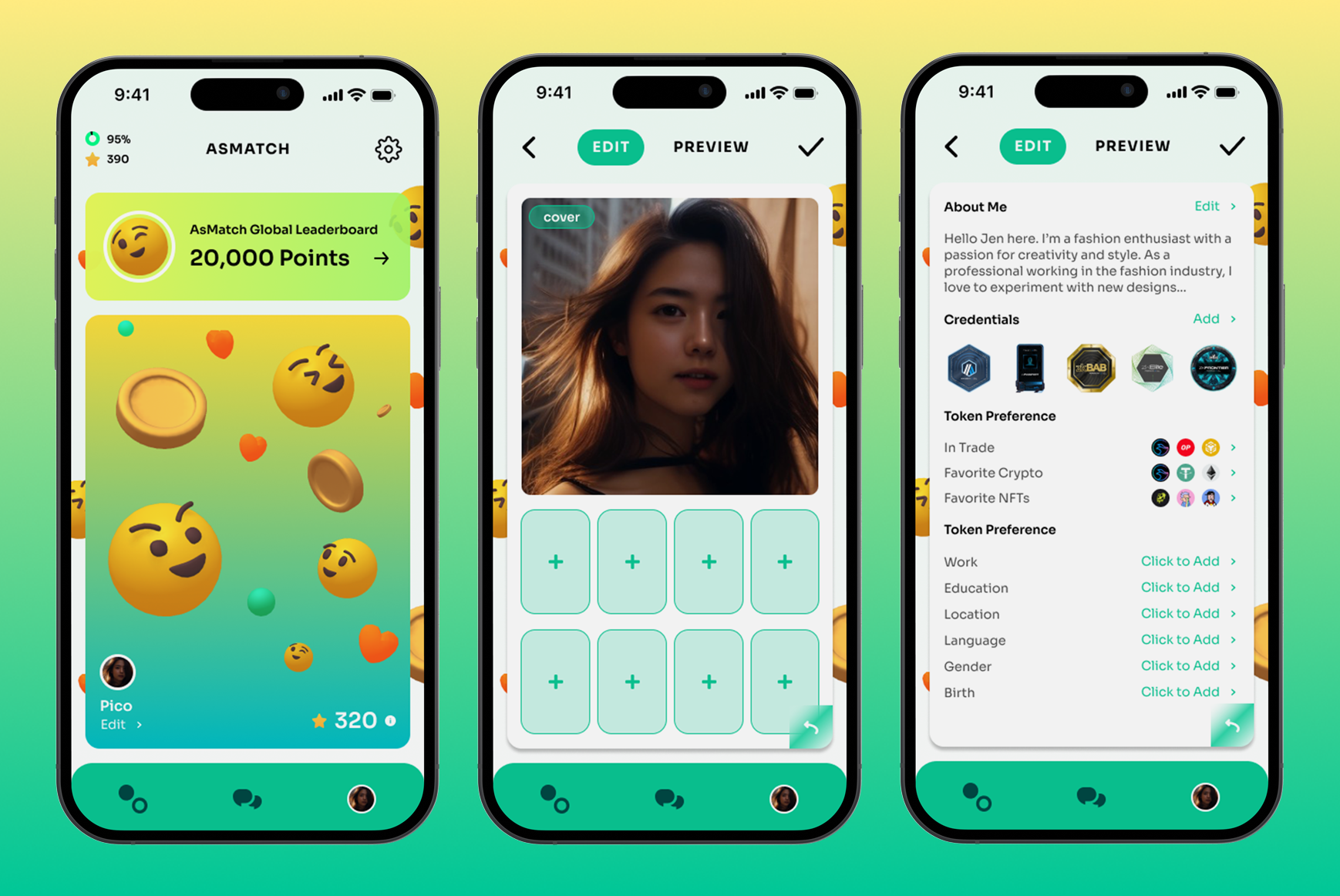
Your personal profile card consists of two parts:
**Card front:** Customize and showcase up to 9 Profile Pictures.
**Card back:** Provide essential details, including your personal introduction, token preference, employment, educational background, location, language, and more.
Let's explore each section in detail.
### **Card front**
The card front represents your personal profile photo. There are two ways to add your picture:
**Direct Upload:** Take a photo from your camera or upload an image of your choice.
### **Card back**
The card back consists of four categories that you can fill out:
**About Me:** Share a paragraph about yourself, including your hobbies, passions, the kind of people you hope to meet on AsMatch, and your preferred self-identity.
**Credentials:** AsMatch supports zkKYC provided by the[ Manta NPO Platform](https://bit.ly/3KA5G0W). In this section, enter the Proof Key associated with your zkSBT for on-chain asset credentials verification.
**Token Preference:** Verify your crypto and NFT ownership by bonding a zkCertificate from [POMP](https://bit.ly/3KVSl3h). Verified crypto and NFTs can be displayed on your profile card with a verified tick.
**Info:** This section allows you to provide additional relevant details that enhance your profile.
***Note: More information regarding profile customization will be provided as we continue to update the app.***